

You write a prompt, wait for the render and the character barely moves: the hair is frozen, the face is stiff and the whole clip feels like a slideshow. Stiff motion is a common beginner complaint with AI animation, and it usually comes from the prompt and the settings rather than the tool. These seven fixes show how to bring more life to a clip without changing your idea.
Why Do AI Animations Look Stiff in the First Place?
AI animations look stiff when the prompt describes a pose instead of a movement, or when only one thing in the frame is allowed to move. The model animates what you describe, so a still description gives a still-looking result. If you want to create smoother AI animations, start by checking three common causes:
- The prompt describes a pose. “A knight stands in the rain” gives the model nothing to animate.
- Only the subject moves. Frozen hair, clothes and background make the whole clip feel pasted on.
- The motion and camera settings do not fit the scene. Too little motion looks frozen, and too much distorts faces.
What Are the 7 Fixes for Stiff AI Animations?
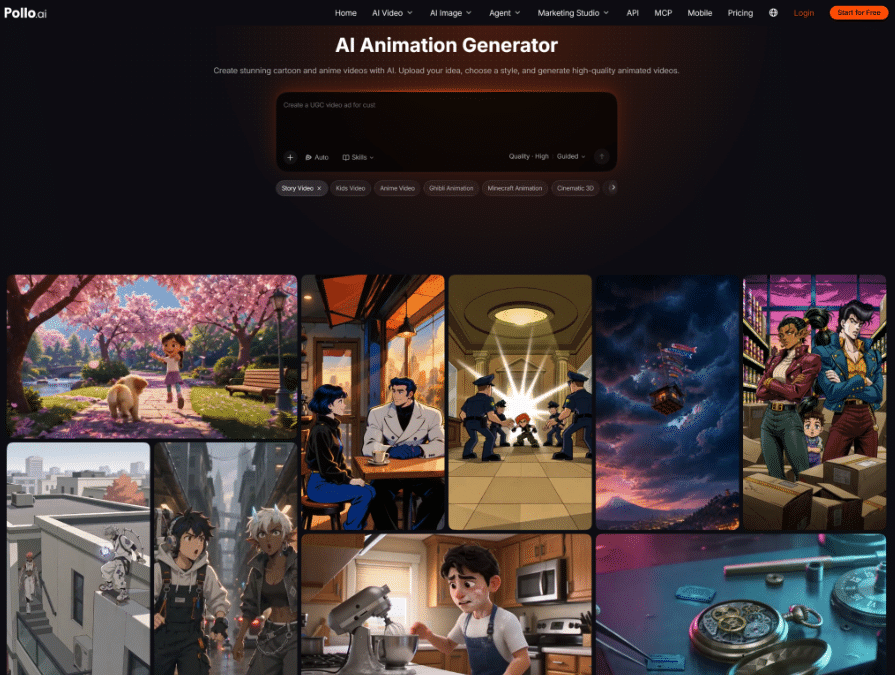
Each fix below changes one thing in your prompt or settings, so you can test them one at a time.
1. Start from a Better Still Image
Why it helps: when you animate a still image, the picture limits what can move. Choose one with a clear pose, open space around the subject and visible hair and clothing. A cramped or flat image leaves little to animate.
2. Replace Static Descriptions with Motion Verbs
Why it helps: the model animates what you describe. “A knight stands in the rain” is a pose, while “a knight walks through the rain, cloak flapping” is a movement. Verbs such as turns, walks, reaches, sways and drifts give the clip something to do.
3. Ask for One Clear Action per Clip
Why it helps: three actions in five seconds leave each one too little time, so the clip looks rushed or frozen. Split them into separate clips and join them later.
4. Add a Camera Move That Matches the Mood
Why it helps: a moving camera adds life even when the subject moves little. Use a slow push-in for emotion, a tracking shot for action and a static camera for calm scenes.
5. Dial the Motion Range Up or Down
Why it helps: the right amount of motion depends on the scene. On Pollo AI, the animation generator has a motion range setting (auto, small, medium or large). Start with auto, use small for portraits, and try medium or large for action. Change one level at a time, because too much motion can distort faces.
6. Add Secondary Motion: Hair, Cloth, Rain and Background Life
Why it helps: small movements around the subject make the main action feel natural. Ask for “hair swaying”, “scarf fluttering”, “petals drifting” or “rain on the window” alongside the main action.
7. Compare Variations, Then Trim and Add Sound
Why it helps: the same prompt can give different results, so generate two or three variations and keep the most natural one. Then trim the first and last half-second, join clips with cuts and add sound, because music and effects pull attention away from small stiffness.
What Does a Stiff Prompt Look Like Next to a Better One?
A better prompt swaps a pose for a movement, adds small secondary motion and names one camera move.
| Stiff prompt | Better prompt |
| “A girl in a garden” | “A girl turns and smiles as petals drift past her, hair swaying, slow push-in” |
| “A warrior on a cliff” | “A warrior draws a sword on a windy cliff, cloak snapping, low-angle tilt up” |
| “A cat on a windowsill” | “A cat stretches and yawns on a sunny windowsill, curtain moving in the breeze, static camera” |
| “A city at night” | “Rain falls on a neon street as a cyclist rides past, reflections rippling, tracking shot” |
How Do You Fix Stiffness Without Wasting Credits?
Check the prompt against a short list before you generate, not after. The free plan on Pollo AI includes 20 one-time credits, about four 5-second clips at 720p, so every test counts. Before you press generate, ask:
- Is there a motion verb? If the prompt only names a subject, add what it does.
- Is there only one main action? Split anything longer into separate clips.
- Is there a camera move? Name one, or choose a static camera on purpose.
- Is the motion range set for the scene? Small for portraits, medium or large for action.
- Is there secondary motion? Add hair, cloth, weather or background movement.
Free clips carry a watermark, and a paid plan removes it once you are happy with the result.
Ready to Make Your Next AI Animation Smoother?
Start with one character, one action and a fixed camera. Upload a reference if the design needs to stay consistent, generate two simple variations in Pollo AI and review them at phone size. Once the movement reads naturally, add a second camera choice or a more expressive style. Small, controlled changes are usually what turn a stiff first render into a usable social clip.