

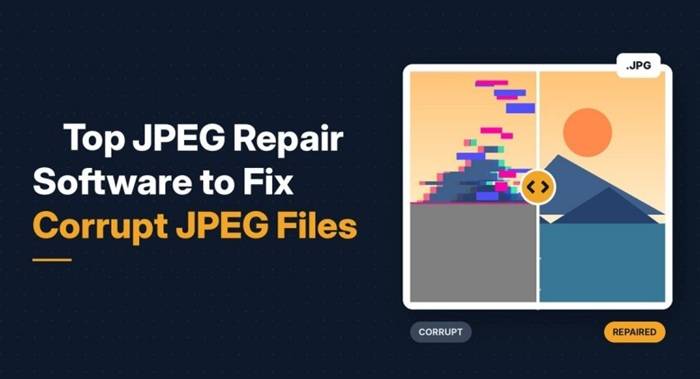
JPEG is one of the most popular image file formats, but sometimes your JPEG image gets corrupted, which can stop it from opening or displaying properly. This usually happens because of interrupted transfers, improper device shutdowns, or damaged storage devices. When you find your JPEG image is damaged or corrupt, it’s important to repair it as soon as possible. Manual repair methods can be time-consuming and may fail to provide you with the desired outcome. To keep the repair process simple, you should try repairing it with a photo repair tool.
The challenging part is deciding which JPEG repair solution to rely on. To help you out, we’ve listed the top JPEG repair tools below. Compare them on supported formats, advanced repair, batch repair, preview, and ease of use, and then choose the one that best fits your needs. Let’s begin!
Understanding Common Reasons for Your Damaged JPEG Images
Knowing why a JPEG file got corrupted helps you understand the damage and pick the right repair approach. The common reasons are as follows:
- Interrupted File Transfers – If copying files from your SD card, USB drive, or other external media is interrupted, the JPEG files can become corrupted or incomplete.
- Bad Sectors and Drive Failure – With long-term use, hard drives and memory cards can develop bad sectors, which may corrupt the stored image files.
- Improper Shutdown – If the system shuts down improperly because of a crash or power failure while a photo is being saved, the JPEG file may be left incomplete.
- Malware or Virus Attacks – When your PC is attacked by malicious programs like viruses or malware, it can alter the stored JPEG files.
Top 5 JPEG Repair Software You Can Try
JPEG corruption occurs at different levels. A damaged header may prevent the image viewer from recognizing the file, whereas corrupted image data can make your images look distorted or show lines, blocks, or wrong colors. Different issues demand different repair strategies.
If a file won’t open because of a damaged header, try JPEG-Repair Toolkit or the Advanced Repair feature in Stellar Repair for Photo. For distorted, greyed-out, or blurry photos, Wondershare Repairit and EaseUS Fixo are good options. If you also need to fix Photoshop (PSD) files, Picture Doctor is the one to try.
1. Stellar Repair for Photo
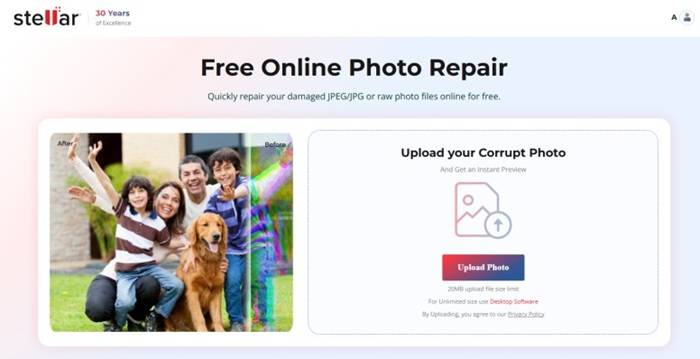
Stellar Repair for Photo is a professional photo-repair tool for damaged JPG, JPEG, HEIC, TIFF, and RAW images. Its interface is quite straightforward, keeping the repair process simple even for beginners or non-technical users.
Stellar also offers a free online version (shown above) that repairs one photo of up to 20 MB in your browser. Batch repair and unlimited repairs need the desktop software, whose free trial lets you preview repaired photos before you buy.
Key Features:
- Advanced JPEG Repair: This functionality utilizes a healthy sample photo from the same camera to repair severely corrupted JPEG images.
- Batch Photo Repair: Allows repairing several photos at once, saving a lot of time.
- Preview Before Saving: Users can preview their repaired photos prior to saving them in order to check the recovery quality.
- Device Compatibility: Works well with different internal or external storage devices such as SD cards, hard drives, SSDs, etc.
Best For: Beginners and professionals who need to fix severely corrupted JPEGs or large batches of photos. It can also extract thumbnails from badly damaged files.
2. Wondershare Repairit
Wondershare Repairit is a dedicated photo repair tool that can help you repair corrupted, pixelated, damaged, and greyed-out photos. It’s a paid tool, but the free version lets you preview the repaired photos before you buy.
Key Features:
- Two Repair Modes: Quick Repair handles common corruption. If it fails, Advanced Repair uses a sample photo from the same device to repair severely damaged photos.
- Wide Format Support: Works with JPG, JPEG, PNG, TIFF, HEIC, and multiple RAW formats.
- Batch Repair: Lets you repair multiple photos in one go, which is convenient for a large number of files.
Best For: Users who want a simple two-mode repair process with wide format support, including HEIC photos from phones.
3. EaseUS Fixo Photo Repair
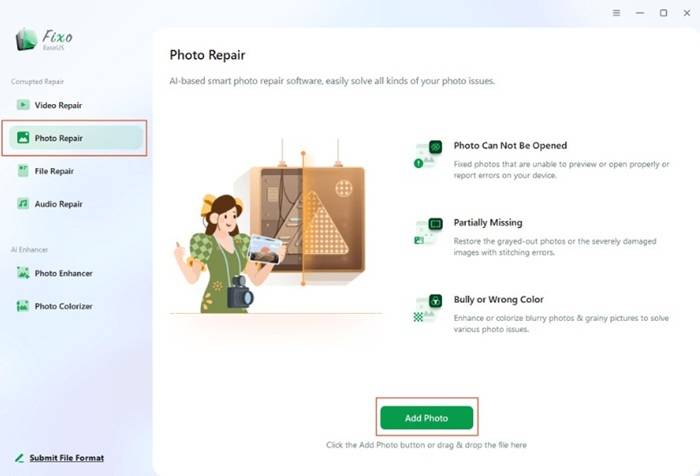
EaseUS Fixo Photo Repair is another popular photo repair tool that can help you easily fix grainy, corrupted, or inaccessible photos. It can repair photos stored on multiple internal or external storage devices including computers, USB drives, memory cards, digital cameras, and phones. The software offers a simple and straightforward process – add photos, repair them, and then preview/save the repaired results. Previewing the repaired photos is free, so you can check the results before buying a licence.
Key Features:
- Wide Format Support: Fixes corruption in JPEG, JPG, PNG, TIFF, GIF, and several RAW formats, such as CR2, CR3, NEF, and RAF.
- Common Photo Problems: Fixes greyed-out, blurry, grainy, pixelated, overexposed, underexposed, and colour-related issues.
- Preview Before Saving: Provides the Preview option for viewing the repaired photographs before saving them.
- Batch Repair: Lets you add and fix multiple corrupted photos at once.
Best For: Repairing photos from many different devices, such as cameras, phones, and memory cards, in a single batch.
4. JPEG-Repair Toolkit
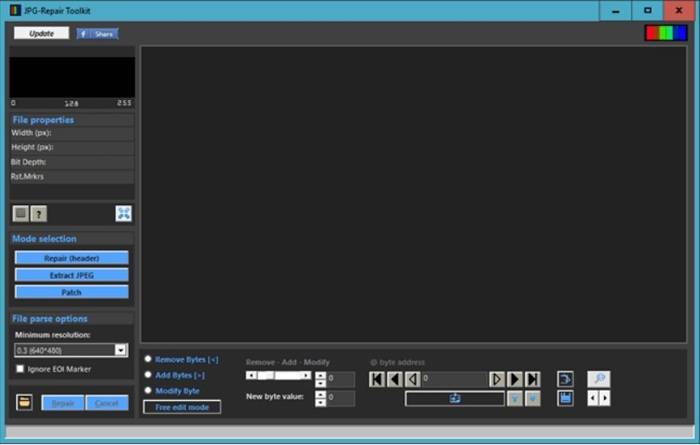
JPEG-Repair Toolkit, developed by DiskTuna, is a professional JPEG repair tool aimed at recovering corrupted and damaged JPEG pictures. Compared with the other tools in this list, it offers more advanced control over JPEG headers, markers, and other image data.
Key Features:
- Header Repair: Replaces corrupt JPEG headers using a healthy reference file from the same camera to fix pictures that cannot open or show thumbnails.
- Marker and Bad Sector Repair: Detects and fixes corrupt JPEG markers and bad-sector damage, which can cause partially grey, distorted, or incorrectly rendered pictures.
- Diagnostics: Helps find out whether there is still any usable JPEG data in a corrupt file.
- RAW Extraction: Extracts the embedded full-resolution JPEG images from corrupted RAW files, including Canon CR2 and Nikon NEF file types.
Best For: Technically difficult cases, such as damaged headers, markers, or bitstreams. Keep in mind that it runs only on Windows and its interface is more technical than the other tools in this list.
5. Picture Doctor
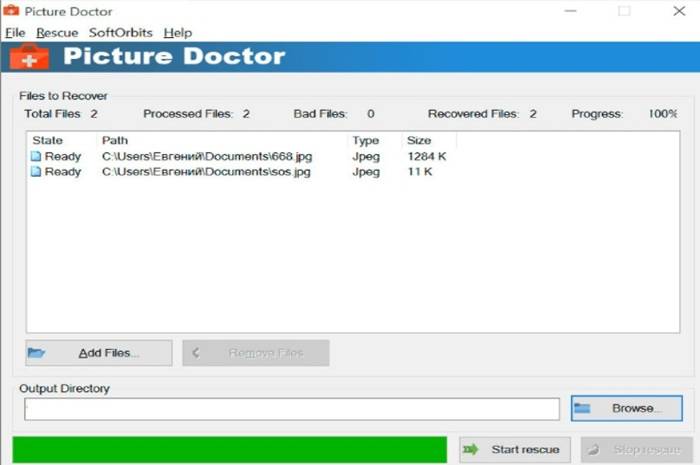
Picture Doctor is a lightweight photo-repair utility from SoftOrbits designed specifically to repair corrupted JPEG and PSD files. It can help restore images that fail to open, display errors when opened, or show other signs of structural corruption. Its simple interface offers photo repair in three steps – adding the corrupt files, selecting the output location, and initiating the repair process. Keep in mind that it saves repaired images in BMP format, and the trial version adds a watermark to the output.
Key Features:
- Structural Repair: Fixes corrupted, truncated, and unreadable JPEG image files by analysing damaged structure and reconstructing recoverable image information.
- Batch Repair with PSD Support: Allows you to repair multiple corrupted JPEG and PSD files at once, and can restore the layers in PSD files.
- Original Properties Retained: Restores images while keeping the original dimensions, palette, and other image characteristics.
Best For: Users who need to repair Photoshop (PSD) files as well as JPEGs with a simple, specialized utility.
Conclusion
Damaged JPEG images can be very annoying, particularly when they contain precious moments or important images. However, many of these damaged photos can be repaired with the right JPEG repair tool. Use the guide above to match the tool to your problem, and where a free preview or trial is available, use it to check the results before you buy.
FAQs
Can I fix several corrupted JPEG images at once?
Yes, most tools in this list, including Stellar Repair for Photo, Wondershare Repairit, EaseUS Fixo, and Picture Doctor, let you repair multiple damaged images at once.
Does JPEG repair software reduce image quality?
It depends on the program and method of repair you use. Some tools, such as JPEG-Repair Toolkit, fix images without re-encoding them, which preserves the original image quality.
Can I repair JPEG images that won’t open?
Yes, many JPEG repair tools can fix corrupted headers and other structural problems that prevent JPEG files from opening or displaying correctly.