

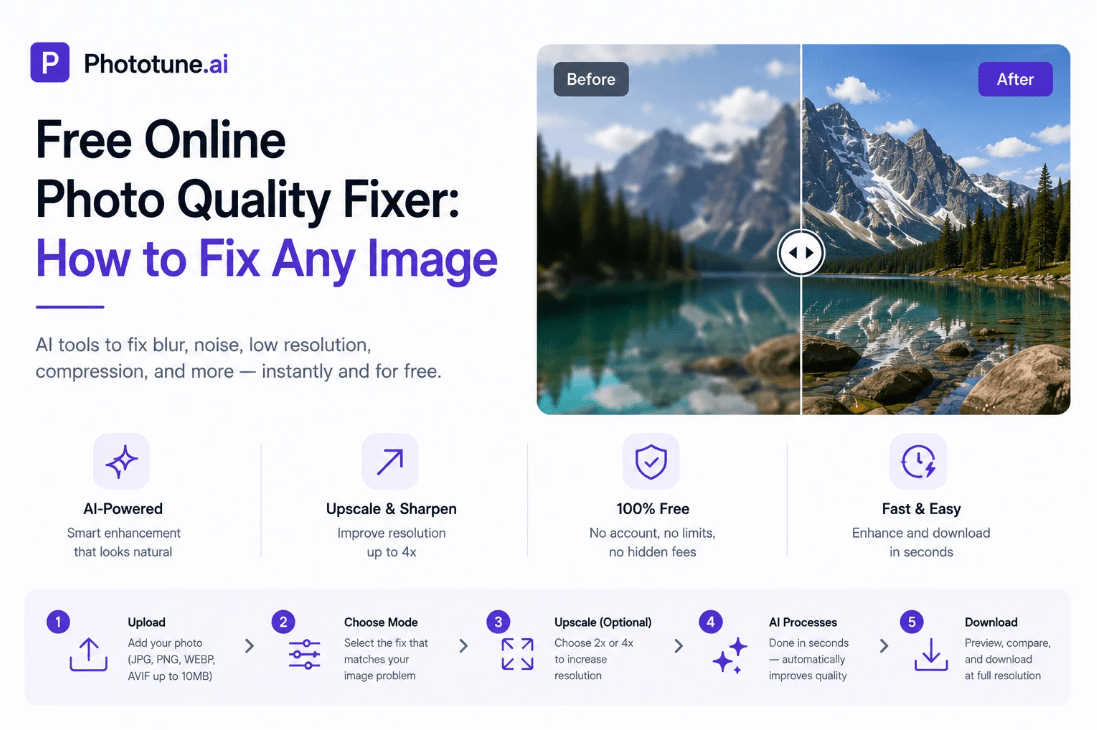
Every photographer, content creator, or casual phone user has photos they wish looked better — a slightly blurry portrait, a low-resolution product image, a grainy night shot, or an old family photo that has lost its clarity over time. A good online photo quality fixer handles all of these automatically, in seconds, for free. No software to install, no account to create, no editing skills required.
What Photo Quality Problems Can Be Fixed Online
| Problem | What It Looks Like | Can AI Fix It? |
| Blur / soft focus | Hazy edges, subjects look undefined | Yes — AI reconstructs missing edge detail |
| Motion blur | Streaky or smeared subject | Yes for mild cases — extreme blur has limits |
| Digital noise / grain | Speckled texture, especially in shadows | Yes — removes noise while preserving real texture |
| Low resolution | Pixelated when viewed or printed large | Yes — 4x upscaling with AI detail reconstruction |
| Compression artifacts | Blocky areas, smudged edges from JPEG | Yes — recovers compressed detail effectively |
| Faded or flat appearance | Dull colors, low contrast, lacking definition | Yes — improves color depth and overall clarity |
| Old photo degradation | Grain, fading, scan softness | Yes — Old Photo mode reconstructs naturally |
How AI Fixes Photo Quality
Traditional photo quality tools — sharpening sliders, noise reduction filters, basic upscaling — work by manipulating existing pixels. They don’t understand what’s in the image, which is why they often produce artificial-looking results: halos around edges from sharpening, loss of real detail from noise reduction, blurry stretched pixels from upscaling.
AI-based quality fixing works from a different foundation. The model has been trained on millions of images and understands what high-quality photos look like — including the specific characteristics of portraits, products, landscapes, and text. When it processes a low-quality image, it applies the appropriate reconstruction to each type of content, producing natural results rather than uniformly processed ones.
Choosing the Right Fix for Your Photo
Phototune.ai includes six dedicated enhancement modes — each trained for a specific type of image problem:
- Enhance — all-purpose quality improvement for any photo that looks soft, flat, or unclear
- Unblur — specifically targets blur reconstruction, best for out-of-focus or slightly motion-blurred images
- Portrait — face-specific enhancement that improves skin texture, eye sharpness, and hair detail naturally
- Old Photo — restoration mode for aged, scanned, or degraded images with grain and fading
- Text Enhance — improves letter clarity in screenshots, document photos, and presentation images
- Upscale — increases image resolution with AI-generated detail, available at 2x or 4x
Step-by-Step: Fix Photo Quality Online
Step 1: Open Phototune.ai in your browser. No download, no account — works on any device.
Step 2: Upload your photo. Drag and drop or click to select. JPG, PNG, WEBP, and AVIF up to 10MB are supported.
Step 3: Choose the mode that matches your image’s problem. If you’re not sure, Enhance mode works well for most general quality issues.
Step 4: Select an upscale level if the image also needs to be larger — 2x or 4x.
Step 5: The AI processes in seconds. Use the before/after slider to compare at full zoom. Download at full resolution.
Which Photos See the Biggest Improvement
The most dramatic improvements happen when:
- The image has detail that was captured but degraded — by blur, compression, or noise. AI can recover this hidden detail.
- The image is low-resolution but the subject is well-defined — upscaling with detail reconstruction adds genuine sharpness.
- The photo was taken in difficult conditions — low light, camera movement — where the camera captured the scene but imperfectly.
- The image is an old scan where fine detail was present but lost in digitization.
Images where improvement is limited: severely overexposed or very dark photos where information was never captured, extremely motion-blurred frames from very fast movement, or images so heavily compressed that the original detail is gone.
Ready to fix your photos? Phototune.ai lets you improve image sharpness online free with dedicated AI modes for every type of quality problem. Upload, select your mode, and download a better result in seconds — no account, no software, no cost.